This article explains how to use Realtime Visitors to confirm online visits, new
records and immediate feedback.
When to use
Use it when a campaign, content update or troubleshooting task requires
confirming whether visitors are active right now.
Steps
-
Open Realtime Visitors and first check online visitors, latest visit
time and refresh rhythm.
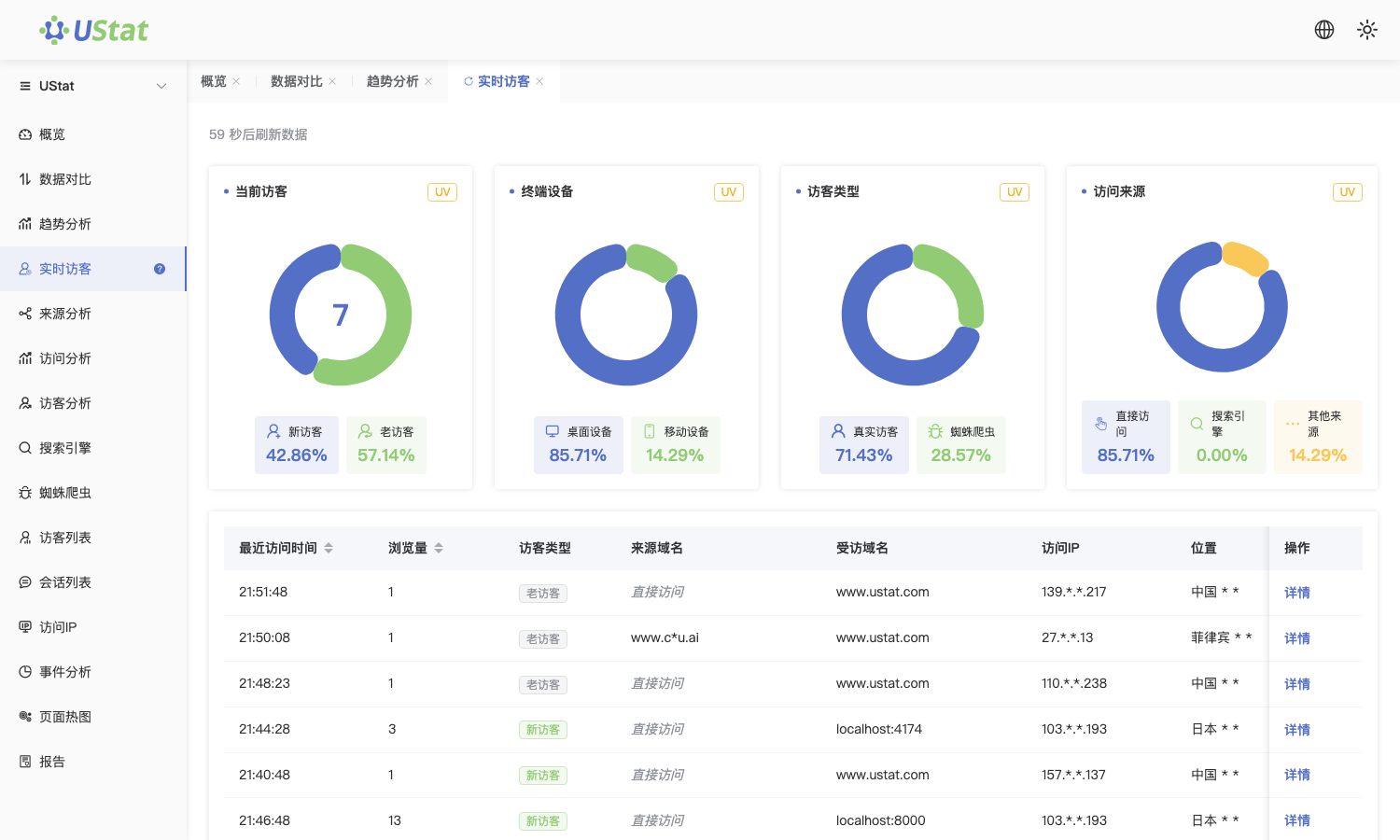
 Interface example. Actual console display may vary.
-
Review source, device and region in the newest records to judge whether
current visits come from the expected channels.
-
During the first few minutes after a launch or deployment, watch for new
records to verify that real users have opened the page.
-
For a time-period review, move to Trend Analysis or Overview instead of
drawing conclusions from realtime records only.
Notes
-
Realtime Visitors answers whether visits are happening now; it is not a
long-term performance report.
-
When the short-term sample is small, avoid judging channel quality or page
performance from it alone.
