
检查代码是否安装成功
为了确保网站统计数据能够被 UStat 正常采集,请按以下步骤确认统计代码是否已成功部署并生效:
一、使用【代码检测工具】快速检查
我们上线了专门的检测工具,可帮助您一键判断统计代码是否安装成功。
操作方式:
-
在页面中输入您需要检测的网页地址
-
点击【检测】按钮
-
页面将反馈检测结果:
-
若检测到 UStat 统计代码,会显示 “统计代码安装成功”
-
若未检测到,则提示 “统计代码安装未成功”
-
-
如提示未安装,可点击检测结果下方的【查看安装教程】按钮,查看代码安装说明和常见问题排查

✅ 推荐优先使用此工具进行初步判断
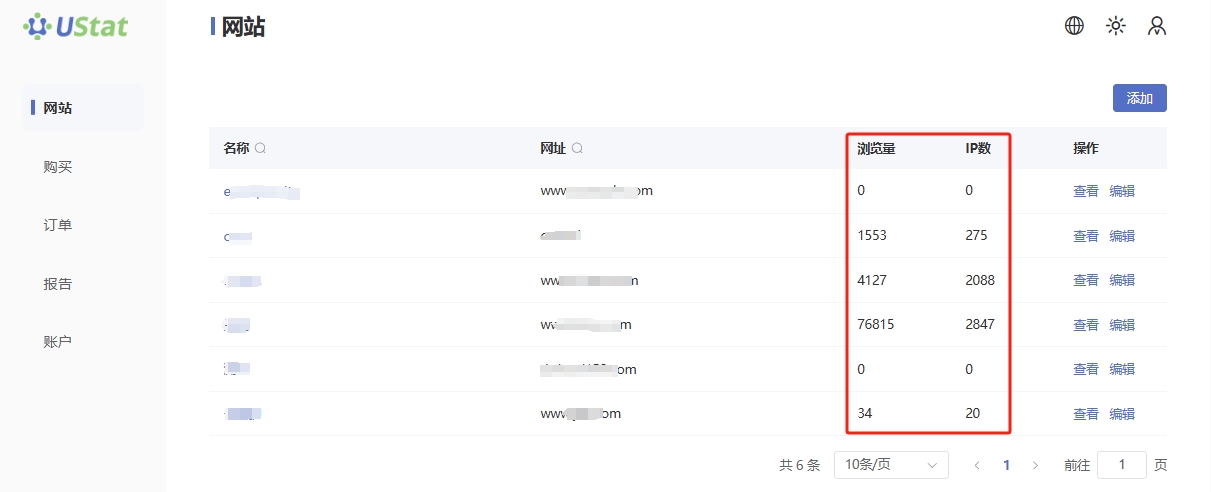
二、通过网站列表界面检查数据反馈
-
登录 UStat 平台,进入「网站列表」页面;
-
查找您已添加的站点,查看其“浏览量(PV)”与“访问 IP”字段;
-
若代码已正确安装且站点已有访问记录,数据应大于 0,并持续更新;
-
若长时间无数据更新,请检查代码是否正确安装在有效位置。
三、通过浏览器控制台检查 JS 加载情况
-
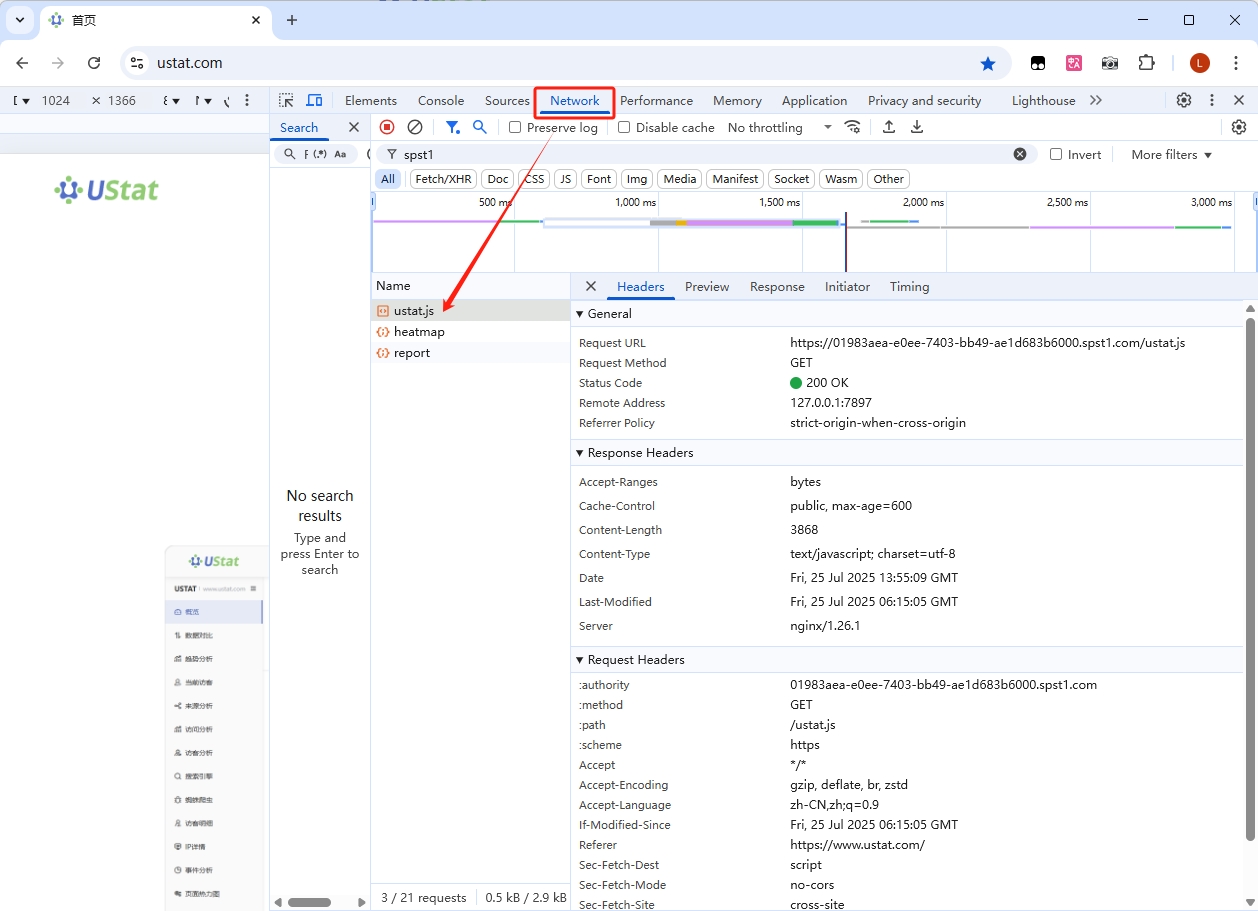
打开已安装统计代码的网页;
-
在浏览器中按 F12 打开开发者工具;
-
切换到「Network(网络)」面板,刷新页面;
-
在请求列表中搜索关键词
ustat.js,确认统计脚本是否成功加载; -
若无加载记录,请检查以下内容:
-
<script>代码是否正确粘贴进 HTML 页面 -
网站是否屏蔽了外部 JS 请求
-
是否被浏览器插件或 CSP 安全策略阻止加载
-
四、检查代码安装位置
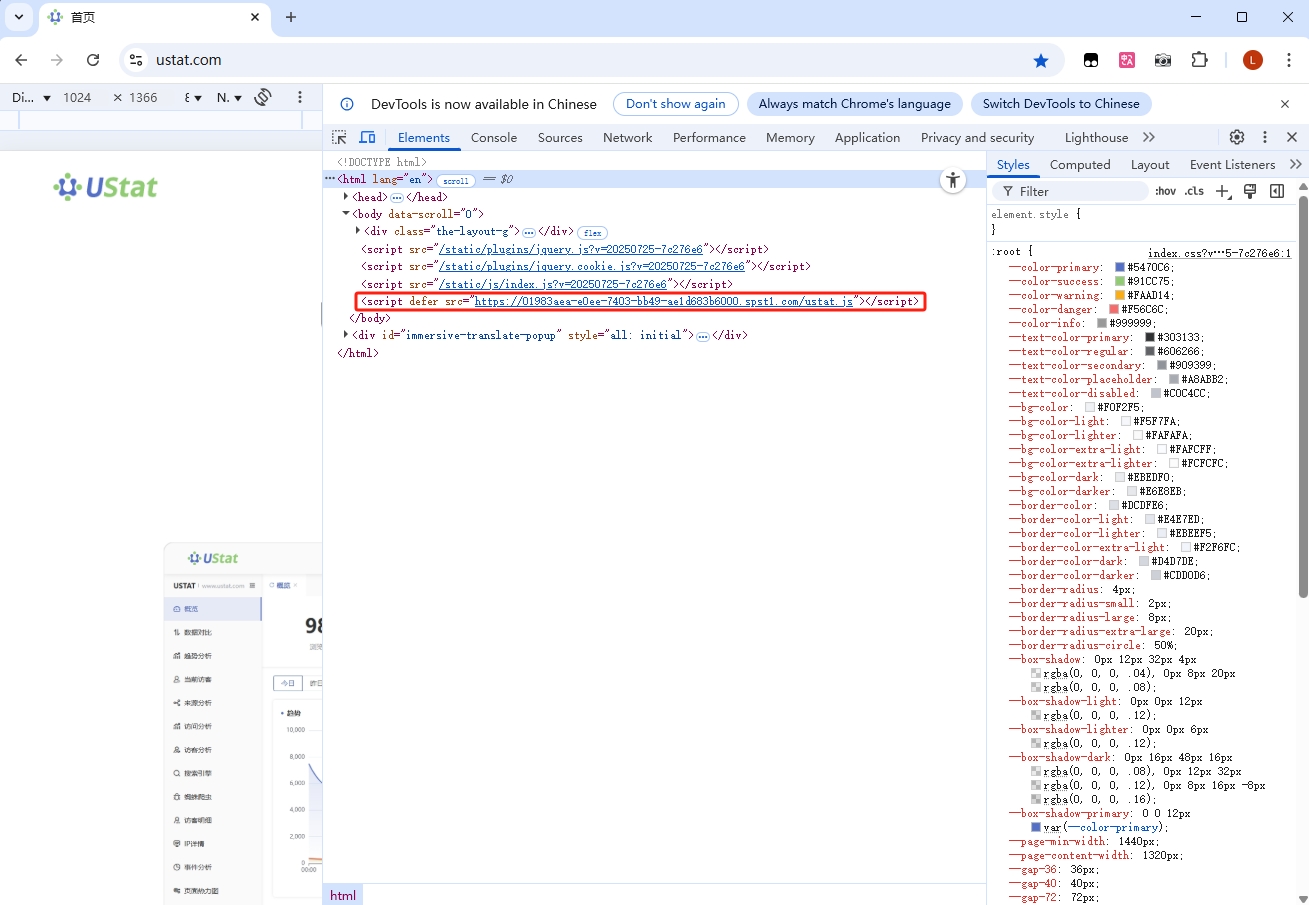
请确保统计代码:
-
插入在网站 HTML 的
<head>标签内或<body>标签结尾前; -
已写入所有需统计的页面,建议统一写入公共页头模板文件中(如 header.html);
-
未被包裹在异步加载区域、弹窗模板、或执行条件语句中,这会导致统计失败或数据缺失。
五、使用 UStat 平台的【当前访客】功能实时验证
-
登录平台后,在左侧菜单中点击【当前访客】;
-
使用隐私模式或另一台设备访问您已部署统计代码的网页;
-
若成功记录访客信息,说明代码部署生效。
✅ 温馨提示
-
代码部署后,数据可能有几分钟延迟,请耐心等待;
-
如使用 CDN、缓存机制或 SPA 构建框架(如 Vue / React),请确认代码已实际渲染至最终 HTML 源码中;
-
若遇内网访问、Nginx 代理、内容安全策略(CSP)等特殊场景,请联系技术支持进一步排查。
🙋♂️ 客服支持
-
QQ 客服:3004364115
-
Telegram:@ustat_com