访问分析
📊 功能模块:访问分析
📍功能入口:
登录 UStat 进入查看网站统计数据后,在左侧导航栏点击【访问分析】,即可进入该模块。
🧩 功能介绍:
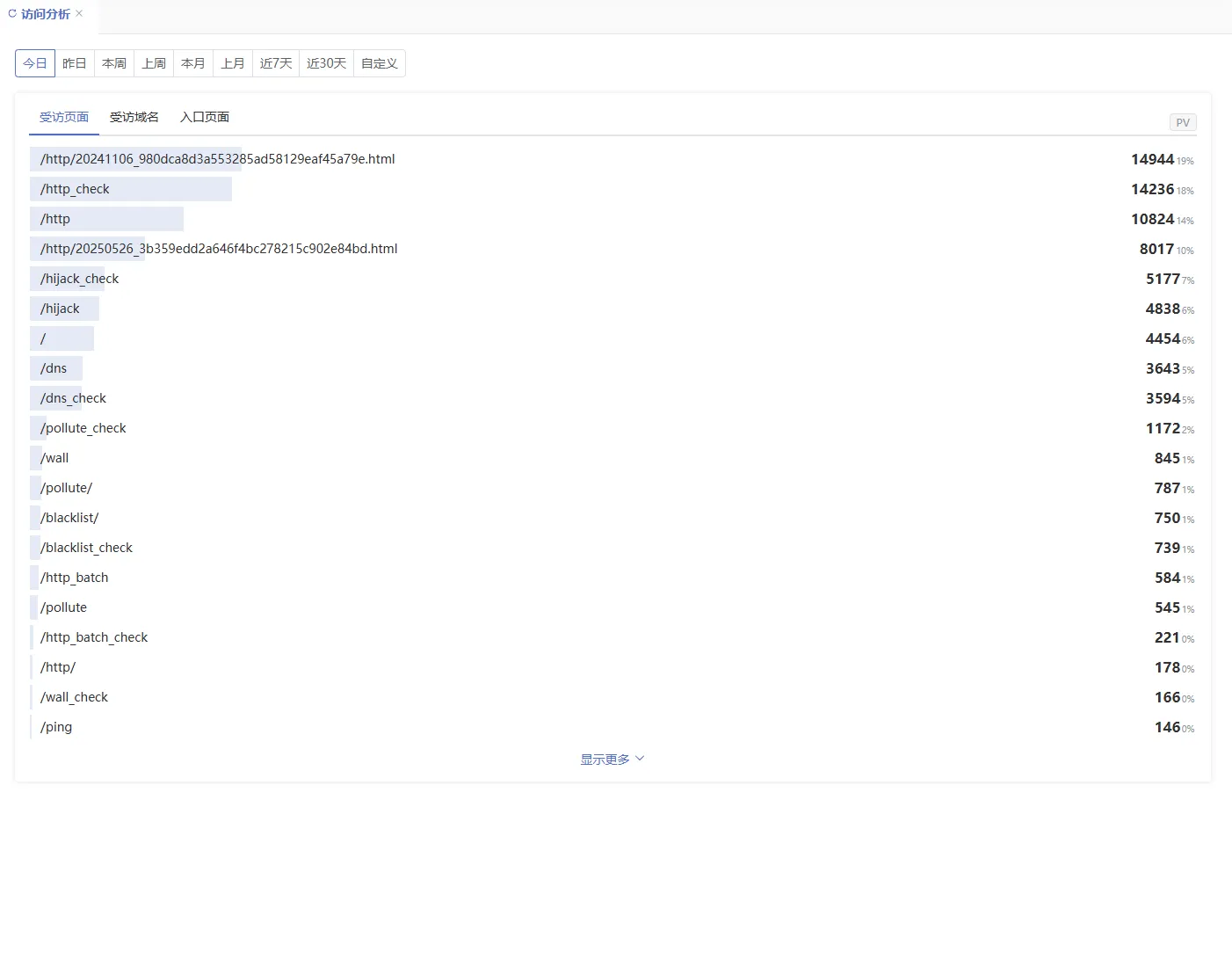
“访问分析”模块用于深入了解网站被访问的页面、入口路径和域名的表现情况,帮助您掌握哪些内容最受欢迎、哪些页面最常被作为用户进入网站的入口,以及不同子域名的流量占比。
本模块适合内容优化、菜单结构设计、流量落地页评估等多种运营和产品分析场景。
📄 页面结构说明:
- 时间周期选择区域(顶部)
- 同样支持今日、昨日、本周、上周、本月、上月、近7天、近30天、自定义时间段等多种时间维度选择
- 核心数据展示部分(下方分为三块)
① 受访页面数据表(页面访问热度排行榜)
- 显示被访问最多的具体网页路径(如
/product/123.html) - 每个页面的数据包含:
- 浏览量(PV)
- 来源域名
- 外部链接
- 站内链接
🔍 用于识别热门内容页、核心功能页或用户兴趣焦点。
② 受访域名数据表
- 若网站绑定了多个子域名(如:www.ustat.com 与 data.ustat.com),此处可分别统计各自访问量和用户行为指标
🌐 适用于子品牌管理、跨站结构分析、或多语言站点的访问表现评估。
③ 入口页面数据表(Landing Page)
- 展示访客第一次打开网站时所进入的页面路径
- 反映不同入口页面的吸引力与转化潜力(可结合跳出率判断页面质量)
📘 衍生术语解释:
- 受访页面:用户访问的所有页面(不限于首次进入)
- 入口页面(Landing Page):访客首次访问的起始页面
- 受访域名:多个绑定域名下不同页面的访问聚合表现
⚙️ 可操作项说明:
- 可结合【来源分析】判断访问页面的引流渠道
✅ 使用建议:
- 若某页面访问量高但跳出率也高,建议优化该页面内容或加载速度
- 对于重要的业务页面(如注册页、产品页),应重点关注其“入口页面”表现
- 若某个子域名数据异常(如流量激增或无访客),可能存在部署问题或被刷风险,应结合【IP详情】或【蜘蛛爬虫】分析排查